

Thank you for your subscription and trust!
Your password has been emailed to you.
If it is not in your inbox, please check your spam folder.
(Note: If you have an existing account you will not get a new password)
Two Easy Steps to get started
Step #1 - Log in
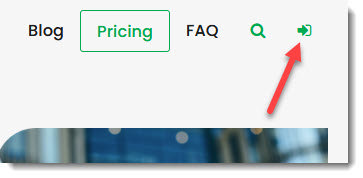
To get started, log into your account by clicking on the Subscriber Login Icon at the top right of your screen.
Step #2 - Access your subscription
After logging:
Click on the Go to Screener button - to go to the screener
or
Click on the Go to Newsletter button do download your newsletters
If you run into a problem
Do not see your subscription after logging in?
If after logging in you cannot see your subscription, wait a few minutes, log out and log in again.
It sometimes takes a few minutes to activate your subscription
If you do not see the top menu bar
(If you do not see the navigation bar on top, please click this link to be redirected to the main site with the navigation bar)
Have a question?
If you run into a problem our FAQ's may have the answer. If not please feel free to ask us by clicking on the Need Help? button at the bottom right of your screen.
Here are a few helpful articles to get you started
Quant Investing Screener Quick Start Guide
Quick tips to get the most out of your stock screener subscription
How to run your first screen with the Quant Investing stock screener
How to create and edit Watchlists in the Quant Investing stock screener - This is Important to know!
How to create and edit Templates in the Quant Investing stock screener - This is Important to know!
How to research a company using the Quant Investing screener
How to export results from the Quant Investing stock screener
How to get your new stock screener ideas and Watchlists by email
How to back test your investment strategy
How to track your portfolio with automatic updates of closing prices and ratios
How to find your next double- or triple-digit winner - Webinar